Adding Customers
Customers are the people or businesses connected to your bookings and vehicles. Adding them to the platform keeps their contact details in one place and lets you link them to the relevant records.
Step-by-step
- Go to the Customers section in the main menu.
- Click the Add button.
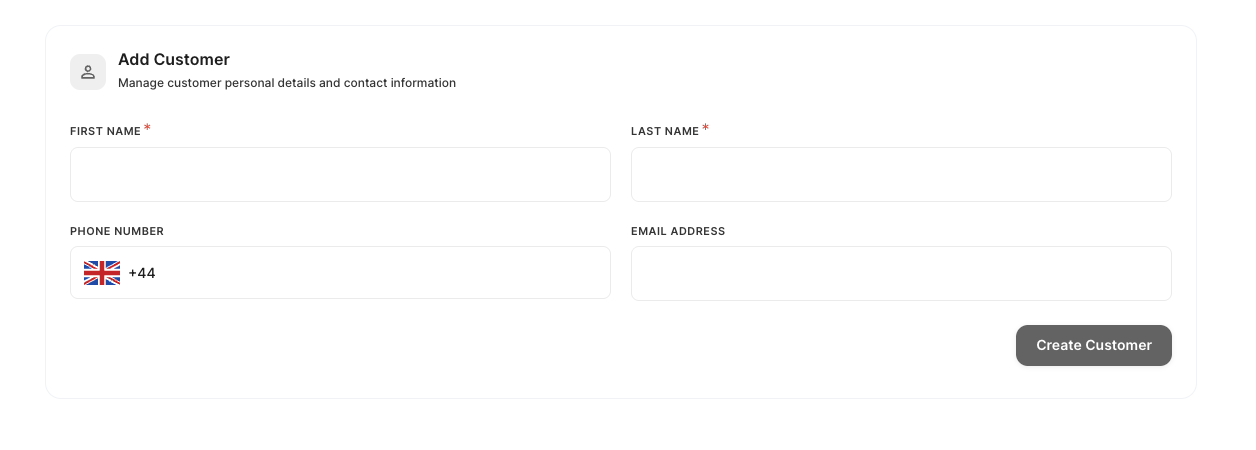
- Fill in the customer's details:
- First Name (required)
- Last Name (required)
- Phone Number (optional)
- Email Address (optional)
- Click Create Customer.
The customer will now appear in your customers list and can be linked to bookings.
Adding a profile photo
After creating the customer, you can upload a photo to their profile. Open the customer record from the list and look for the option to upload an image.
Common problems
The form will not submit.
First Name and Last Name are required. Make sure both fields are filled in before clicking Create Customer.
I need to update a customer's details after creating them.
See Editing Customer Details.
Need help?
Use the in-app chat to contact the support team. See Using the Support Chat.